
The blaring emergency alerts that jolt us awake on certain mornings have, rather unceremoniously, become this month’s most persistent alarm clock. Not the gentle, birds-chirping kind. More like a heart-in-mouth orchestra that doesn’t care if you slept at 2am after promising yourself “just one more episode.” When the powers that be decided to switch these emergency alerts to a silent tone during sleeping hours, the public response split neatly into two camps. One half exhaled in relief – finally, uninterrupted sleep and anxiety levels that don’t spike before sunrise. The other half, understandably indignant, asked the very logical question: what exactly is the point of an alert if it tiptoes in politely like a well-mannered guest? Both sides, as it turns out, have a point. And somewhere between wanting our sleep and wanting to stay informed, we, the ever-adaptable residents of the UAE, are learning to live with this… let’s call it a peculiarity. Because “new normal” feels far too generous for something that still makes your heart race before your brain has had a chance to clock in.
The Morning-After Mystery Of The Emergency Alerts
Which brings us to the real dilemma. Those nights when the alert does arrive during silent hours. You wake up, groggy and mildly suspicious of the universe, spot the notification, and immediately begin the mental gymnastics: Did this come five minutes ago? Five hours ago? Or precisely at the moment you surrendered to sleep? And here’s the catch. These alerts aren’t your regular, timestamped messages. They’re dispatched via cell towers, landing on your phone without the courtesy of a clear “sent at” label. Which, if you’re even slightly prone to overthinking, is enough to send you down a rabbit hole before you’ve even brushed your teeth.
But before you spiral into an out-and-out early morning crisis, take a breath, because there is a way to figure it out when these emergency alerts have landed. I’m going to show you exactly how!
How To Check Your Emergency Alert History On Android Phones
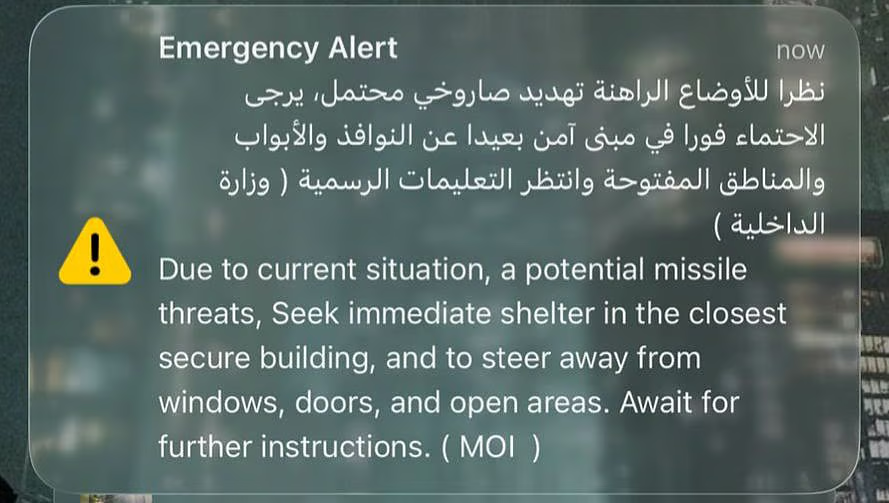
Start by checking your notification history.
If you’re on Android, head to Settings → Notifications → Wireless Emergency Alerts and tap on Emergency Alert History. If it’s enabled, you’ll see the exact time the alert came in; no guesswork required.
How To Check Your Emergency Alerts History On iPhones
On iPhones, it’s pretty much similar to the Android method.
Go to Settings > Notifications > scroll down to the Government Alerts section.
You can also access “Notification Center” which shows your notifications history. This way you get to scroll back and see what you’ve missed. Here are 2 ways to do it from the Notification Center:
- From any other screen, you swipe down from the middle of the top part of your screen.
- From the Lock Screen, swipe up from the center portion of your screen.
So, there, you got it! The next time you accidentally swipe away the notification or just completely miss it in the wee hours of dawn, this is exactly how you’d want to go back and check out the time at which you recieved the notification. So much for peace of mind, I guess!
You may also like: From Hail In UAE To Schools Reopening – All The Latest UAE News Today